
Chaos Control
Make streaming a hobby again — not a headache. From “did I start…?” to “why doesn't it work?”, Chaos Control takes the stress out of going live.
One place to get live — calmly.
Streaming should be fun, but going live has turned into a pile of little chores: double setups, apps that aren't running, the mic that's muted, the scene you forgot to add. Chaos Control gathers all of that into one calm control panel, so the boring part takes seconds and you get to the actual streaming.
Startup automation
Build your go-live routine once, then press one button. It runs your steps in order with a live log:
- ✓ Updates your Twitch title, category & go-live notification
- ✓ Starts your stream game
- ✓ Checks your microphone
- ✓ Launches your apps
- ✓ Opens OBS and checks your scenes
You're always in control — streaming never starts automatically. The routine just gets everything ready.

One bot instead of a dozen
Everything a stream needs, bundled into one bot for Twitch and Discord:
- ✓ Moderation, commands, timers & giveaways
- ✓ Games, currencies & music requests
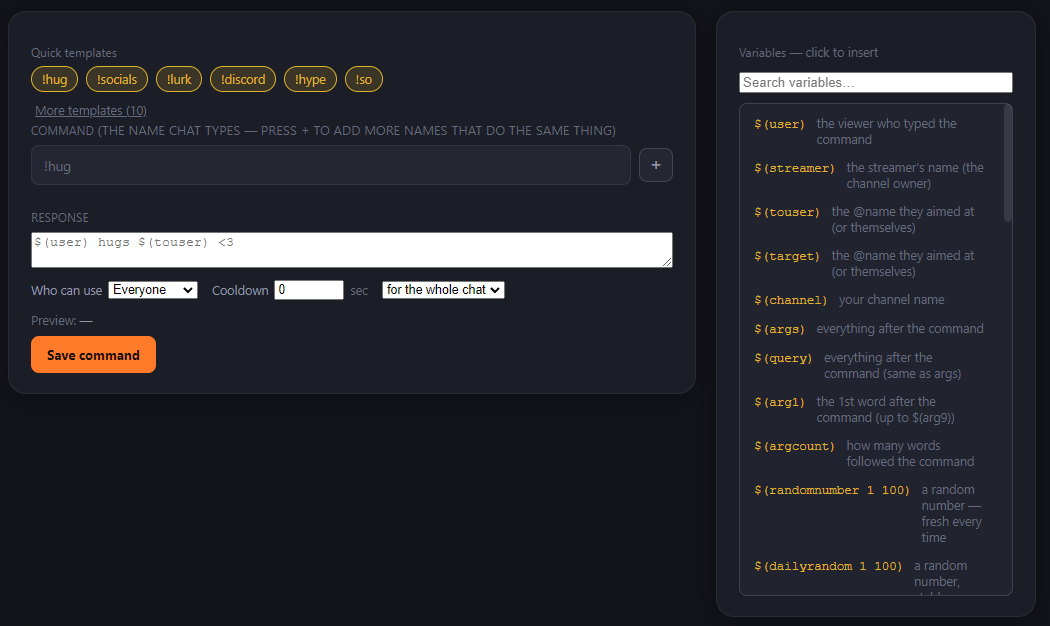
- ✓ A drag-and-drop command builder
- ✓ A step-by-step training to get you set up
- ✓ Switching bots? It auto-translates your variables from other major bots — a built-in command assist spots and fixes variable issues for you
Keep your setup — and your PC — healthy
Health Check scans your OBS for the things that quietly break streams: duplicated scenes, hidden sources, and general clutter. And while you're live, it watches your CPU and memory and tells you — in plain language, no tech knowledge needed — exactly what's stalling.
Startup
Your one-click go-live routine.
Chaos Bot
Everything in one bot — mod, commands, games & more.
Health Check
Scan OBS + watch CPU & RAM in plain language.
Overlay & Scenes
OBS overlays & scenes.
AI Gaming
Play games with AI NPCs.
How Chaos Control grew
…plus ongoing tester fixes with every build.
On the horizon
Overlay & Scenes
Overlays and scenes for OBS, with a connection to Nerd or Die.
AI Gaming
Play games like Skyrim with AI-driven NPCs that actually talk and react.
Built on your feedback. The roadmap shifts to whatever streamers struggle with most — so if something's missing, it can jump the queue.
Share an idea →Want to become a tester?
Testing is open to anyone who genuinely runs into these problems — the double setups, the OBS mess, the “why won't it work.” Those are exactly the streamers whose feedback makes Chaos Control better.
If you don't struggle with this stuff, you probably don't need it yet — and that's okay. To join, just ask in the Discord server.
Join the Discord to test →Already a tester?
Current build: the latest version. Grab this version's password from the pinned message in the Discord, then head to the download page.
Disclaimer: if you format the drive the app is installed on, you might have to reinstall it.